





Let’s be real. Opening your Gmail to see “(10,000)” is a special kind of digital horror. It feels like a mountain you can never climb. You’ve considered just creating a new email address and starting over. 😅
But what if I told you you could see the bottom of your inbox in under 60 minutes? No, seriously. You don’t need a magic wand—you just need a ruthless strategy and a few secret Gmail tricks. I’ve done this myself, and the feeling of hitting “inbox zero” is pure digital euphoria.
This isn’t about reading 10,000 emails. This is about declaring email bankruptcy and using a systematic attack.
Read also: Eco-Friendly Tech Habits

Phase 1: The 15-Minute Massacre (The Big Purge)
Goal: Delete the obvious junk and bulk subscriptions.
We’re starting with the low-hanging fruit. Don’t overthink this part.
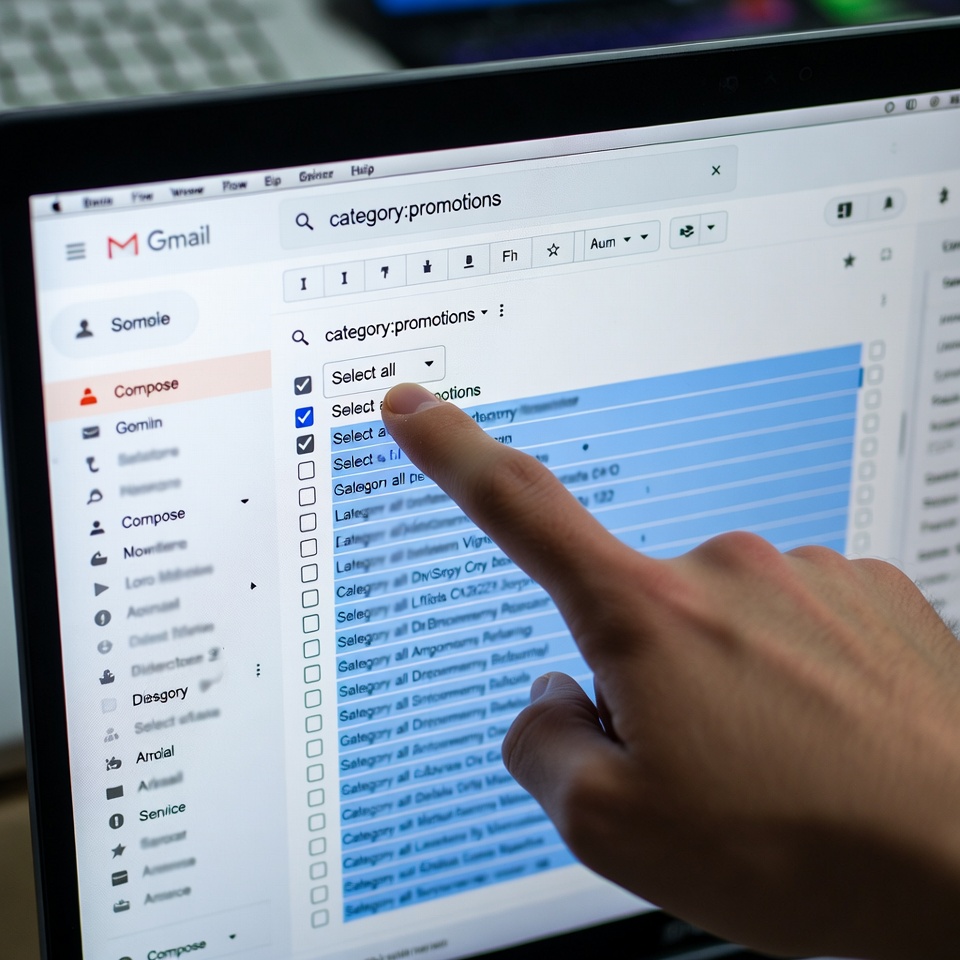
- The Nuclear Option for Promotions & Social: In your Gmail sidebar, click on the “Promotions” tab. Now, in the search bar at the top, type
category:promotionsand hit enter. You’ll see all your promotional emails. Click the tiny checkbox at the very top of the list (above the first email) to select all 10,000+ conversations. A blue bar will appear saying “All 10,000 conversations on this page are selected.” Now, click “Select all conversations that match this search.” Boom. You’ve selected every single promo email.
- Click the trash can icon. 🗑️
- Repeat this exact process for the
category:socialtab.
You’ve just deleted thousands of emails in three clicks. Feel that weight lifting?
Phase 2: The 30-Minute Surgical Strike (Power Searches)
Goal: Use Gmail’s secret search operators to find and destroy specific clutter.
Now we get precise. Go back to your main inbox and use the search bar like a pro.
- Kill the Old News: Type
older_than:1yand hit search. This finds every email older than one year. Select all (using the “Select all conversations that match this search” trick from before) and delete. You do not need an email from 2018. - Nuke Massive Attachments: Type
larger:10Mand search. These are the emails clogging your Google Drive storage. Select all and delete. Goodbye, random PowerPoint files from three jobs ago! - Delete “No Reply” Newsletters: Search for
from:noreplyorfrom:no-reply. These are almost always automated newsletters and notifications. Select all and delete. - Target Specific Senders: Think of 2-3 retailers or services that spam you the most. Search for
from:amazon.comorfrom:linkedin.com. See that huge list? Select all and delete.
Phase 3: The 15-Minute Finish & Future-Proofing ✨
Goal: Clean up, unsubscribe, and set up defenses.
You should be down to a few hundred (or dozen) emails now. The hard part is over.
- The Final Sweep: Skim the remaining emails in your main inbox. If you can quickly reply or handle one, do it. If not, ask yourself: “Will I ever need this again?” If the answer is no, archive it (by clicking the folder icon) or delete it.
- Unsubscribe Like a Boss: For the newsletters you want to keep but don’t want in your inbox, use a trick: When you see one, don’t just delete it. Scroll to the bottom and click “Unsubscribe.” Do this for 5 minutes. You’re stopping the flood at the source.
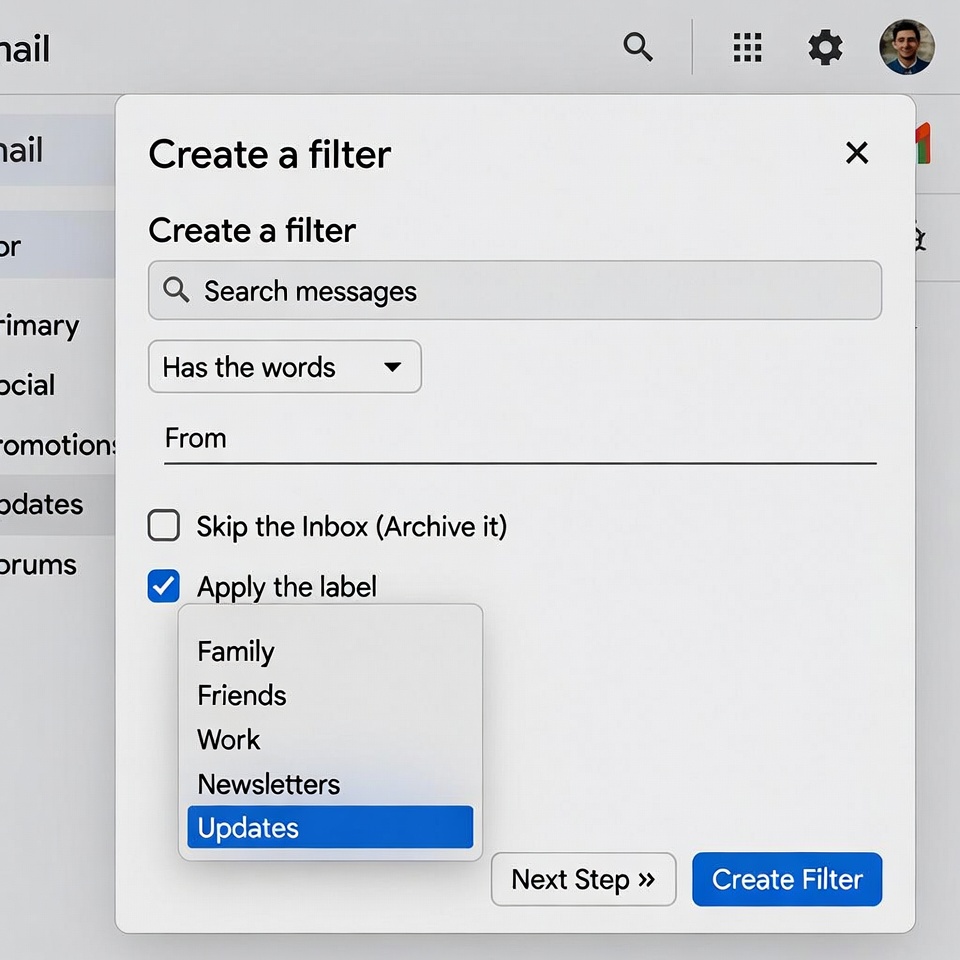
- Create a “Newsletters” Filter (Your New Best Friend): Find one newsletter you like (e.g., from lifehackforge.com). Open it. Click the three dots (More) in the top right and select “Filter messages like this.” In the pop-up, Gmail will have auto-filled the sender. Click “Create filter.” Now, check the boxes for:
Skip the Inbox (Archive it)Apply the label:(Choose “Newsletters” or create a new one)- Click “Create filter” Now, future emails from that sender will go straight to your “Newsletters” folder, out of your inbox but available if you want to read them.
You Did It! Now, Keep It That Way.
Congratulations! You’re staring at an empty inbox. It’s a beautiful sight. 🎉
To maintain this bliss, make this a weekly 5-minute habit:
- Delete the promos/social categories using the method from Phase 1.
- Unsubscribe from one or two new senders that slip through.
- Use the “Report as spam” button for any true junk that appears.
Your inbox is now a tool, not a terror. You’ve taken back control. Now go enjoy that feeling of a clean digital slate











 English
  Deutsch
  Français
  Italiano
  Español
  Čeština
  Polski
  Bahasa Indonesia
  Türkçe
  Svenska
  Українська
  Português do Brasil